Username
username@gmail.com

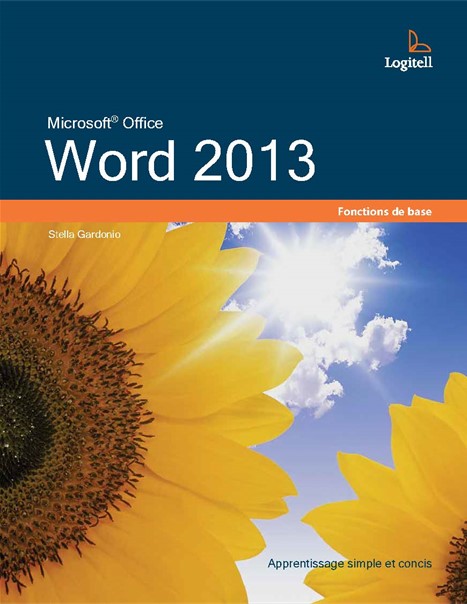
Office 2013
Select Format
Price
Product Unavailable
This product is currently out of stock or no longer available for purchase.
Le traitement de texte est le processus qui consiste à saisir du texte, à le modifier et à lui appliquer des mises en forme, et ce, à l’aide d’un logiciel. Il pourrait s’agir de texte provenant d’une lettre, d’une brochure, d’un contrat ou de tout autre type de document. Dans ce manuel, vous apprendrez à manipuler du texte avec Word 2019, logiciel de traitement de texte de la suite bureautique Microsoft Office 2013.
Table of Content
Chapitre 1 - Windows 1 - Introduction à Windows 10
Chapitre 2 - Windows 2 - Ouvrir et explorer une application
Chapitre 3 - Windows 3 - Utiliser diverses applications
Chapitre 4 - Windows 4 - Gérer des fichiers et des dossiers
Chapitre 5 - Windows 5 - Effectuer des copies de sauvegarde
Chapitre 6 - Word 1 - Lancer Word
Chapitre 7 - Word 2 - Créer un document
Chapitre 8 - Word 3 - Ouvrir et visualiser un document
Chapitre 9 - Word 4 - Réviser du texte
Chapitre 10 - Word 5 - Déplacer et copier du texte
Chapitre 11 - Word 6 - Imprimer un document
Chapitre 12 - Word 7 - Appliquer des mises en forme de caractères
Chapitre 13 - Word 8 - Appliquer des mises en forme de paragraphes
Chapitre 14 - Word 9 - Tabulations et retraits
Chapitre 15 - Word 10 - Mettre en page un document
Chapitre 16 - Word 11 - Entêtes, pieds de page et numéros
Chapitre 17 - Word 12 - Outils divers
Category
Textbook Language
Series
Number of Pages
Logitell was founded in 1990 by a teacher who wanted to simplify how complex subject matter is taught. Since then, Logitell has steadily grown to become a premier provider in the Canadian educational marketplace. Logitell now serves individual learners and educational institutions nationwide. Logitell is used by some of the country's leading organizations, including high school, private and public colleges, and universities. What sets Logitell apart is its commitment to creating 100% Canadian pedagogical resources that are cost effective, engaging, and easy to use. Logitell’s flagship series, OPTIMUM SERIES, is a prime example of one of its complete pedagogical resources covering the Microsoft Office and Microsoft 365 line of software. In addition to its textbook offerings, Logitell also provides a range of professional products and services, including e-learning, digital textbooks, and pedagogical asset distribution services. Whether you are looking for pedagogical resources for courses, or you need a comprehensive solution for authoring, delivering, and managing e-learning, Logitell has the experience and expertise to help you succeed.

Number of Exercises
| Combo | Digital | ||
|---|---|---|---|
Product value | Best Value | ||
Product shipped to you | |||
Hard copy | |||
User account | |||
Instructor resources | |||
Downloadable exercises | |||
Digital access | |||
Accessible on any device | |||
Auto corrected quizzes |